Breaking Down the Layout – Blending Tutorial Video

BlendingShabbyText-1

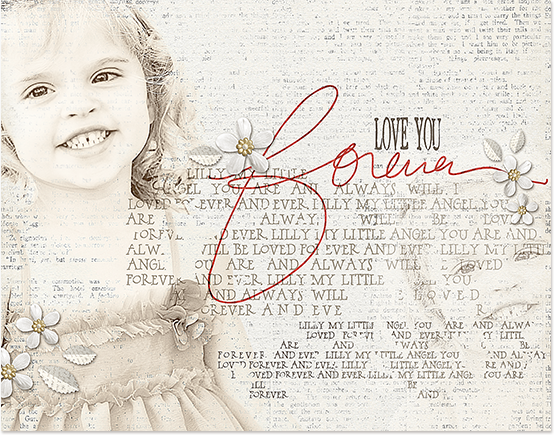
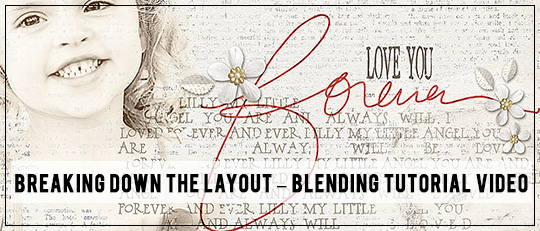
Follow along with this blending tutorial as Scrap Girls designer Brandy Murry breaks down how she created this beautiful digital scrapbooking layout!

Thanks for sharing your blending technique with us Brandy! Make sure to visit Brandy’s Scrap Girls Boutique!

Comments

  1. Mary McLeod says:

    Towards the end of the video tutorial you mentioned a link to the TEXT tutorial but I can’t find that. Could you point it out for me?

  2. That was SO clearly articulated and easy to follow! Thank you Brandy, I never thought to clip a paper to the photo to change its color! I tried some of the steps along side of you with my own photo, which was so helpful. I realize there are so many option in Photoshop that I’m not utilizing…thanks for drawing them to my attention. This is the first I’ve been on the blog, and will definitely be back…great stuff!

  3. Thanks Brandy – I tried your tutorial last night and it worked great!

  4. Thank you Brandy! I’m always looking for techniques on how to blend and you’ve give me some new ways to do it! Appreciate your time and effort. :)
    Bobbi

  5. Sherry_Lynn says:

    Great tutorial Brandy, thank you!

  6. Karen Nichols says:

    I can’t wait to try this. Especially coloring the photo with paper. How neat!

  7. Thank you so much for this tutorial. This layout is in my inspiration file and I tried to copy it for a layout of my daughter in a fairy costume and now I know why it didn’t get close; I have learnt lots from the video.

    For information, in the end I used another one of your layouts for inspiration and I’m pleased with the result even if it isn’t what I’d planned in the beginning.

  8. Thank you, Brandy! I learned a lot of new things here that I want to go and try now. Great tutorial. I love your work.

  9. Yes, add my thanks for the clear step-by-step tutorial, Brandy! With PhotoShop there’s usually more than one way to establish an effect. I’m eager to try out the techniques you used.

  10. Yes, add my thanks for the clear step-by-step tutorial, Brandy. With PhotoShop there’s usually more than one way to establish an effect. I’m eager to try out the techniques you used.

  11. That was amazing. Thanks for taking the time to show us how you did your beautiful layout.

  12. Interesting to see how this works. Thank you for the step-by-step (for newbies!)

  13. This is a fabulous tutorial! I love how clearly you explain how you did this. Thanks!

  14. This was really interesting. I had wondered about the blending she had used so it was cool to watch the tutorial and actually see what Brandy used. Thanks for posting this.

  15. I have to try this! Thanks for making it so clear, Brandy!!

  16. Wonderful tutorial – thank you Brandy!

Speak Your Mind

*


Please log in to vote

You need to log in to vote. If you already had an account, you may log in here

Alternatively, if you do not have an account yet you can create one here.